 margin

typemargin.comA notes pad for the Mac menu bar
Never losea thought.
Margin is a pad that lives in your Mac's menu bar. A thought arrives, you click, you type, and you're back in your work. You sort it later, on the same pad.
Private beta, on Mac and iPhone.
01The job
You're in a meeting, in the work, in the thing. Something arrives. Opening another app to catch it is how you lose it.
- Something arrivesA name, a number, an idea you'll want tomorrow.
- Menu barOne click on the planet. The pad drops down.
- Drop itType it. There's no title to fill in and nothing to save.
- BackClick away and the pad is gone. You never left what you were doing.
About two seconds, start to finish. The thought is still there the next time you open the pad.
02The pad
Catch it now. Sort it later.
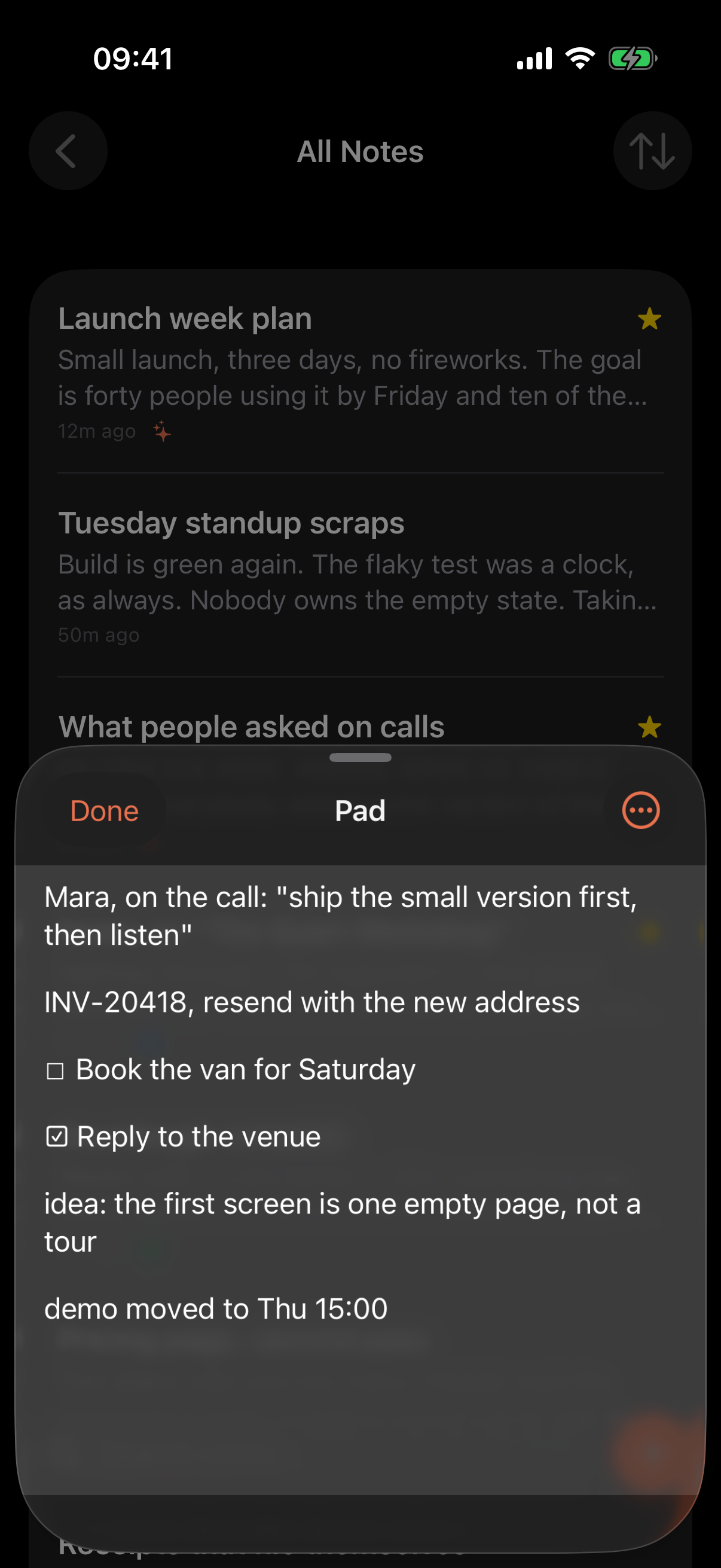
In a meeting your head is full of loose things, and that isn't the moment to file them. Put them on the pad as they come. It stays, and when you have a minute you select a line and decide what it is.
- A new note
- Part of a note you already have
- A task on one of your lists
- A checklist or a heading
- Locked text that needs you to open it
- A search through everything you've saved
Try it on the pad: select a line, then right-click.
Always on top · gone when you click away · still there next time
⌘⇧− drops a screenshot straight onto the pad
03Notes
Everything you caught, in one window.
The second window is where notes live once they've left the pad. It works without an account and without the internet.

Notes and folders
Headings, checklists, tables, code, images. Folders with their own colour and icon.
Tasks
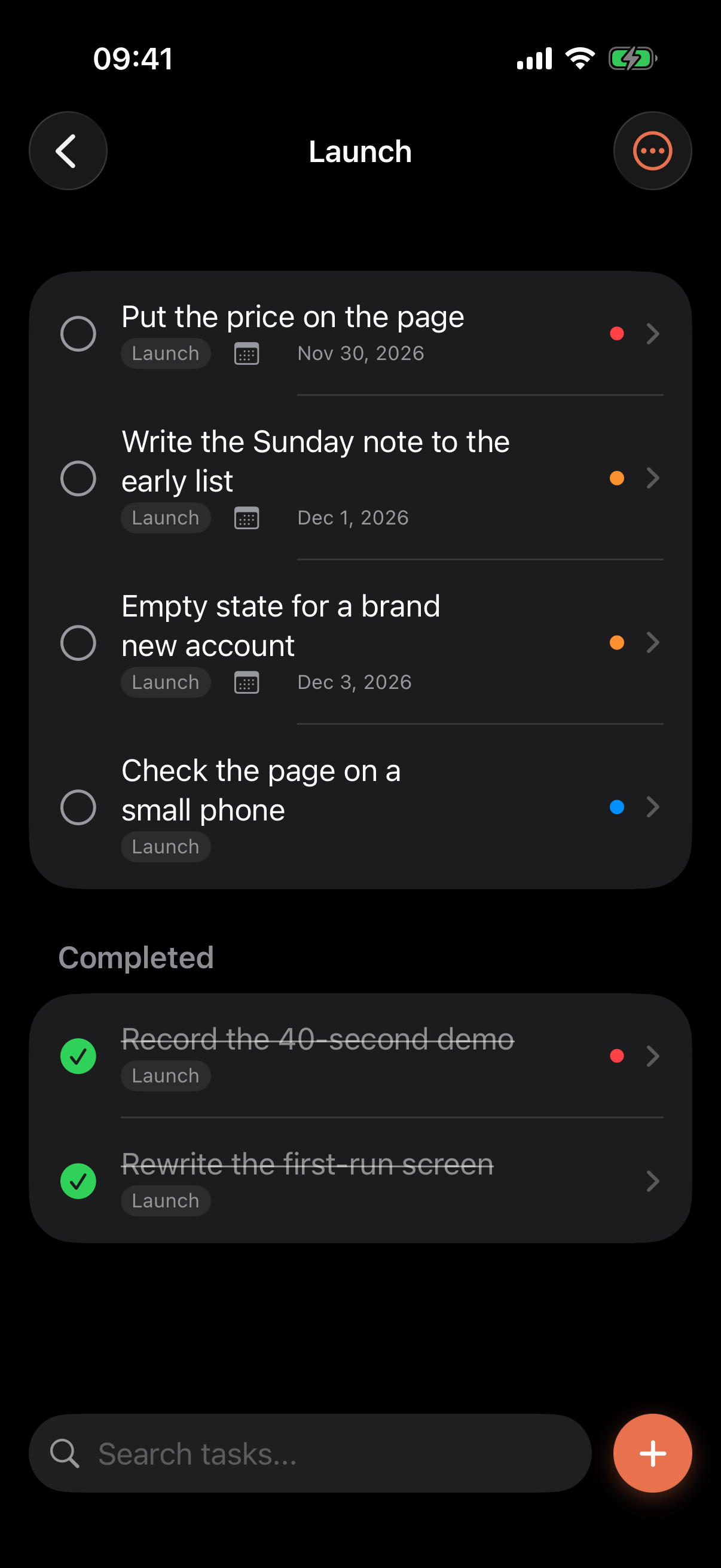
Task lists that sit next to your notes, filled from the pad or typed in directly.
Reminders
Put a time on a note or a task and Margin tells you when it comes around.
Locks
Lock a line or a whole note, then open it with Touch ID. Locking needs an account.
04iPhone
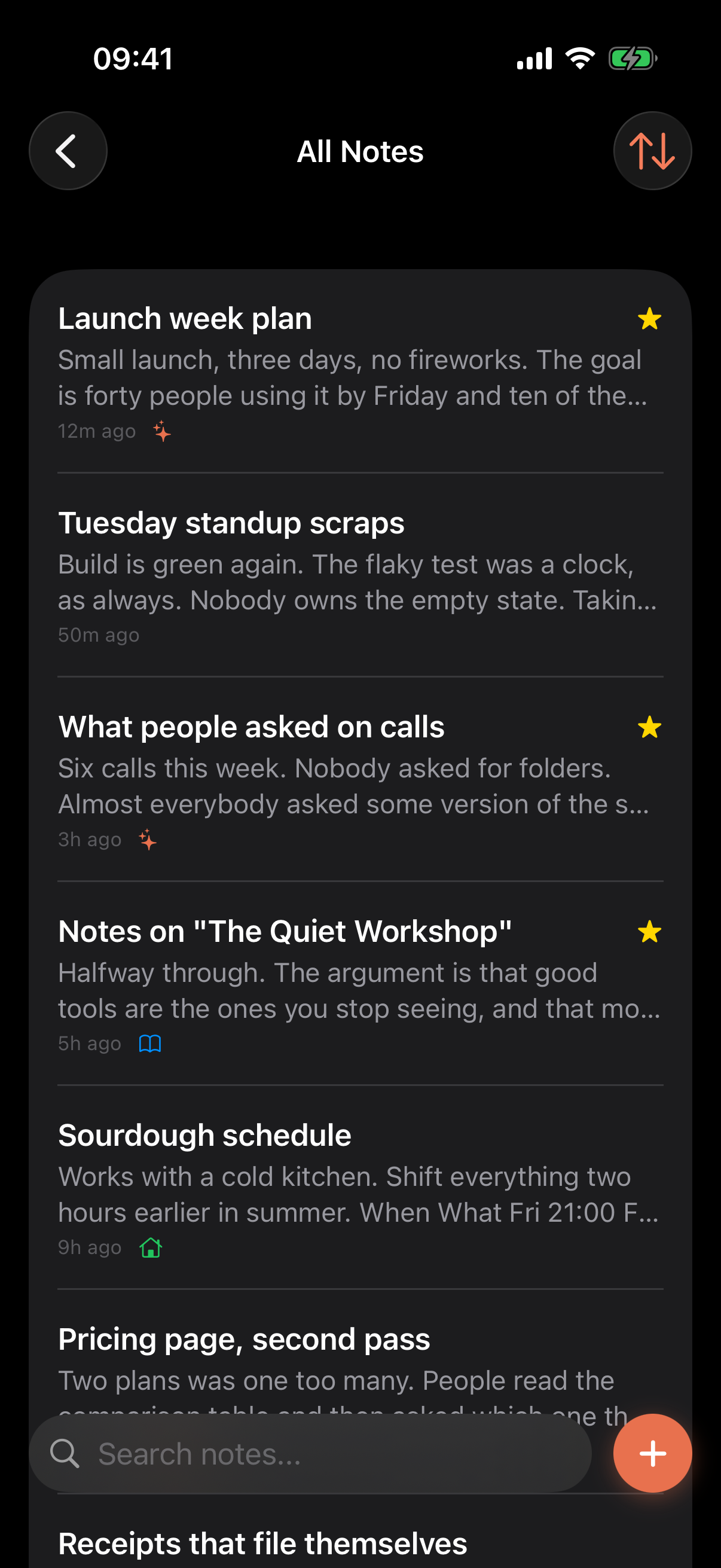
The same notes in your pocket.
Sign in and your notes, tasks and folders are the same on your Mac and your iPhone. They're encrypted before they leave your device, so we can't read them.
Don't want an account? Margin works without one.
05Your own
Make it your own.
Pick the accent colour, the typeface and the text size. Give every folder and task list its own colour and icon, and change the shortcuts to the ones your hands already know.
Pick one. The pad and this page follow.
- Work
- Launch
- Home
- Reading
- Tasks
- Launch week
- Groceries
- Someday
06Yours
Open source, and yours.
- It's a tool we want you to have.
We built Margin because we wanted it ourselves. It's free to use, and the point is that you use it and enjoy it.
- The code is open.
Margin is MIT-licensed, and the code goes public when the app does. You can read it, change it, and keep it.
- We can't read your notes.
On one Mac they never leave it. When they sync, they travel encrypted with a key only you hold.
And money? Not the point. If running sync ever costs more than we can carry, we'll work out then how to pay for it.

07Get it
Ask for the download.
Margin is in private beta on Mac and iPhone. Leave your email, tell us where you want it, and we'll send it to you.